

First admin setup
How you create the first admin with APP_SECRET and ADMIN_EMAILS, and how setup closes after that.
Right after a deploy, the site has no admin. This page shows how you create the first one, and how goodnight-web stops a stranger from getting there first.
The setup screen
Opening /admin/ on a site without an admin shows the setup screen at /admin/setup.
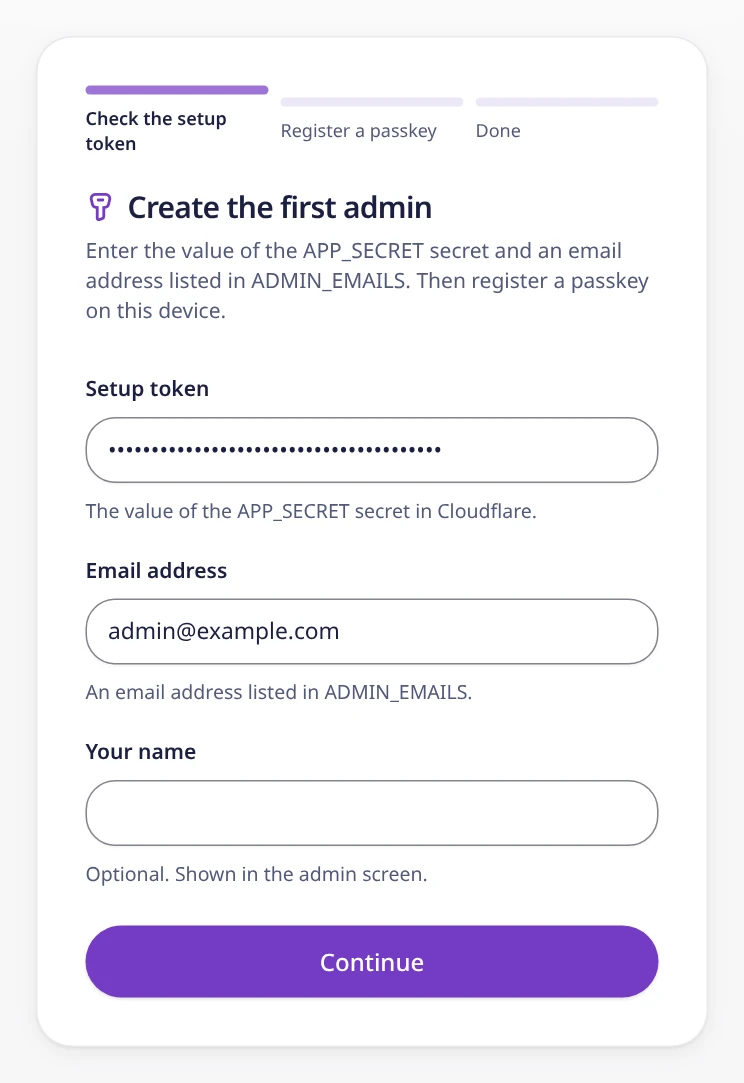
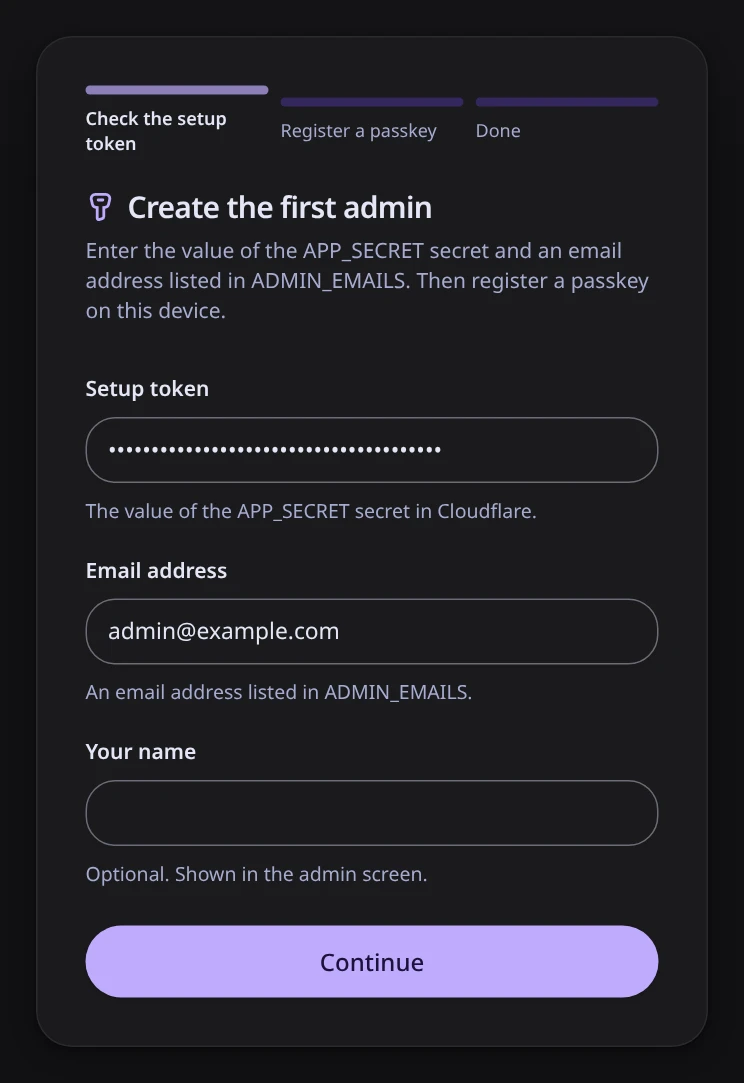
Setup has three steps:
- Check the setup token. Enter the value of
APP_SECRET, an address fromADMIN_EMAILS, and optionally your name, then select Continue. If the check passes, you are signed in and move on to step 2. A wrong token, an address that is not allowed, and a closed setup each get their own message. - Register a passkey. Select Register a passkey. Your browser, phone, or password manager creates the passkey and asks for your fingerprint, face, or PIN. The screen shows the domain the passkey belongs to.
- Done. Setup is closed and you are signed in. Select Open inquiries to go to the admin screen. Next time, sign in at
/admin/loginwith the passkey.
When you are done, keep the APP_SECRET secret. The site derives the key that signs admin sessions and the key that hashes IP addresses from it. Deleting it turns sign-in and the contact form off, and changing it signs every admin out and changes IP hashes.
If you set a separate SETUP_TOKEN (Separate keys), setup accepts only that value, and the screen names it. Delete SETUP_TOKEN when you are done; it is not needed again.
If you leave after step 1, opening /admin/setup again continues at step 2. Leaving before you register a passkey does not lock you out.
What setup accepts
The setup endpoint /api/setup creates the first admin. It accepts a request only if:
- the request comes from the site itself (the
Originheader is checked), - the request uses
https://(plain HTTP is allowed only onlocalhost), - the request includes the correct setup token, which is
SETUP_TOKENwhen it is set andAPP_SECRETotherwise (compared in constant time, so the response time does not give the token away), and - the email address is in
ADMIN_EMAILS(case-insensitive).
Setup is also off in these cases:
- The rate limit cannot run. Setup attempts are rate-limited. Without the Rate Limiting binding or a key for IP hashes, setup is turned off.
- A setting is missing or a secret is too short or not random.
APP_SECRETmust be at least 32 characters and clearly random (not one character repeated), and so mustSETUP_TOKEN,BETTER_AUTH_SECRET, andIP_HASH_SECRETif you set them. SettingBETTER_AUTH_TRUSTED_ORIGINSorBETTER_AUTH_SECRETSalso turns setup off. When a setting is missing or unusable, the setup screen shows its name.
How setup closes
Once the first passkey is registered, setup is closed and the setup endpoint stops working. It stays closed even if every passkey is deleted later. To reopen it on purpose, follow When you cannot use or have lost your passkey.
Setup counts as closed when settings.setup_closed_at exists or any passkey exists. The first passkey registration writes setup_closed_at itself (see Sessions).
A database trigger also writes setup_closed_at whenever a row is inserted into passkey, so setup_closed_at stays even if every passkey is deleted:
CREATE TRIGGER `passkey_closes_setup` AFTER INSERT ON `passkey`
BEGIN
  INSERT OR IGNORE INTO `settings` (`key`, `value`)
    VALUES ('setup_closed_at', CAST(strftime('%s', 'now') AS INTEGER) * 1000);
END;
The admin API accepts only a signed-in user who is still in ADMIN_EMAILS and has a passkey. The session created during setup can only be used to register the first passkey.
Sessions
Someone else who had the token earlier could have run setup with the same address and kept the session. These rules make sure such a session never becomes an admin session:
- Running setup again clears old sessions. When setup runs again for an address that already has a user, that user's earlier sessions are deleted.
- Only one passkey registration can claim setup. Before the passkey is saved, the registration claims setup: one SQL statement writes
setup_closed_atonly if it is not there yet. If two people try to register the first passkey at the same time, only one claim succeeds. The other registration gets 403. - The claim deletes every session. At this point, the only sessions are the ones setup created. The setup screen registers the passkey with
createSession, so you get a new session, created after the passkey, and stay signed in. - A failed save undoes the claim. If the passkey cannot be saved after the claim, the claim is removed, so you can run setup again. The removal matches only that claim, and only while no passkey exists.
- Setup checks again at the end. After setup creates its session, it checks that setup is still open. If a passkey registration claimed setup in the meantime, setup deletes that session and returns 403.
- No passkey registration after setup closes. Once setup is closed, a user without a passkey cannot register one.
- Old sessions do not work. The admin API rejects (401) a session created before the user's first passkey. A user who already has a passkey can register another one through the passkey API only from a session created at or after the first passkey, so an old setup session cannot add one. The admin screen has no page to add a passkey yet.
Just before the first passkey is saved, the passkey registration hook stops if setup is closed, claims setup, and deletes every session:
if (await isSetupClosed(db)) {
  throw new APIError('FORBIDDEN', { message: 'setup closed' });
}
const claim = await claimSetup(db);
if (!claim) throw new APIError('FORBIDDEN', { message: 'setup closed' });
claims.set(request, claim);
await getDatabase(db).delete(sessionTable);
The claim is one INSERT ... ON CONFLICT DO NOTHING statement. Only the registration that writes the row goes on:
export const claimSetup = async (db: D1Database): Promise<string | null> => {
  const value = String(Date.now());
  const rows = await getDatabase(db)
    .insert(settings)
    .values({ key: SETUP_CLOSED_AT, value })
    .onConflictDoNothing()
    .returning({ value: settings.value });
  return rows.length === 1 ? value : null;
};
The admin API compares the session's creation time with the user's first passkey:
const first = await getDatabase(db)
  .select({ createdAt: passkey.createdAt })
  .from(passkey)
  .where(and(eq(passkey.userId, userId), isNotNull(passkey.createdAt)))
  .orderBy(asc(passkey.createdAt))
  .get();
if (!first?.createdAt) return 'no_passkey';
return sessionCreatedAt.getTime() < first.createdAt.getTime()
  ? 'too_old'
  : 'ok';
Why it is built this way
A newly deployed site is public on the internet before its owner has signed in. If the first visitor to the setup page became the admin, a stranger who found the site first could take it over.
So setup requires both a secret that only the owner knows and an allowed address. Setup closes afterwards, so a leaked setup token cannot create more admins later.
APP_SECRET can be the setup token because it is already the root of the session key: anyone who knows it could sign a session cookie, which gives more than setup does. If you do not want to type APP_SECRET into a browser, set SETUP_TOKEN as well.
If Cloudflare Access protects /admin, /admin/*, /api/admin/*, /api/setup, and /api/auth/*, only people who pass Access can reach setup at all. With ACCESS_AUD and ACCESS_TEAM_DOMAIN set, the Worker also checks the Access token on /api/setup itself. See Security model.
When you cannot use or have lost your passkey
Which environments can use passkeys, how to avoid getting locked out, and how to regain admin access with a manual change in D1.
Deleting old inquiries without Cron
How inquiries older than the retention period (180 days by default) are deleted with no scheduled job.