

Contact form protection
The order in which the contact API checks a submission, and how suspicious submissions are flagged instead of dropped.
This page explains how the contact API (POST /api/contact) checks and saves a submission. It stops junk, but a submission that is only suspicious is flagged and kept, not dropped.
The checks, in order
The API runs these checks from top to bottom. The cheap checks come first, so most junk is stopped early.
| Check | On failure |
|---|---|
Origin is the site's own origin, Content-Type is as expected, and the body is at most 32 KB | Rejected before the body is parsed |
Turnstile siteverify: success, hostname, and action match | 400, nothing saved |
| Rate Limiting binding, keyed by the hashed IP address or IPv6 /64 (5 requests per 60 seconds) | 429 |
| zod validation of the fields against the current form definition | Invalid input or an unknown field is 400; a submission from an old form version is 409 |
| Honeypot and spam score | Never a failure: the submission is saved, flagged as suspected spam, and gets no Slack notification |
| Fewer than 500 submissions stored in the last hour, across all senders | 503 contact_busy, nothing saved |
When all checks pass, the submission is saved to D1. Only then does the API return 200.
The hourly limit (CONTACT_HOURLY_INSERT_QUOTA) keeps D1 from being filled quickly by someone who pays for Turnstile solves from many addresses. A company site gets far fewer inquiries than 500 an hour, so normal traffic does not reach it on its own. While it is reached (an attack can use it up, and the limit is shared by every sender), the form shows its general error and asks the visitor to try again; nothing is saved, so nothing reaches the admin screen either.
Spam protection
There are three layers. Turnstile keeps most bots out. The honeypot and the spam score do not reject anything; they only flag a submission as suspected spam.
A suspected spam submission is saved like any other. It gets no Slack notification, and the admin screen lists it separately, under the Suspected spam tab.
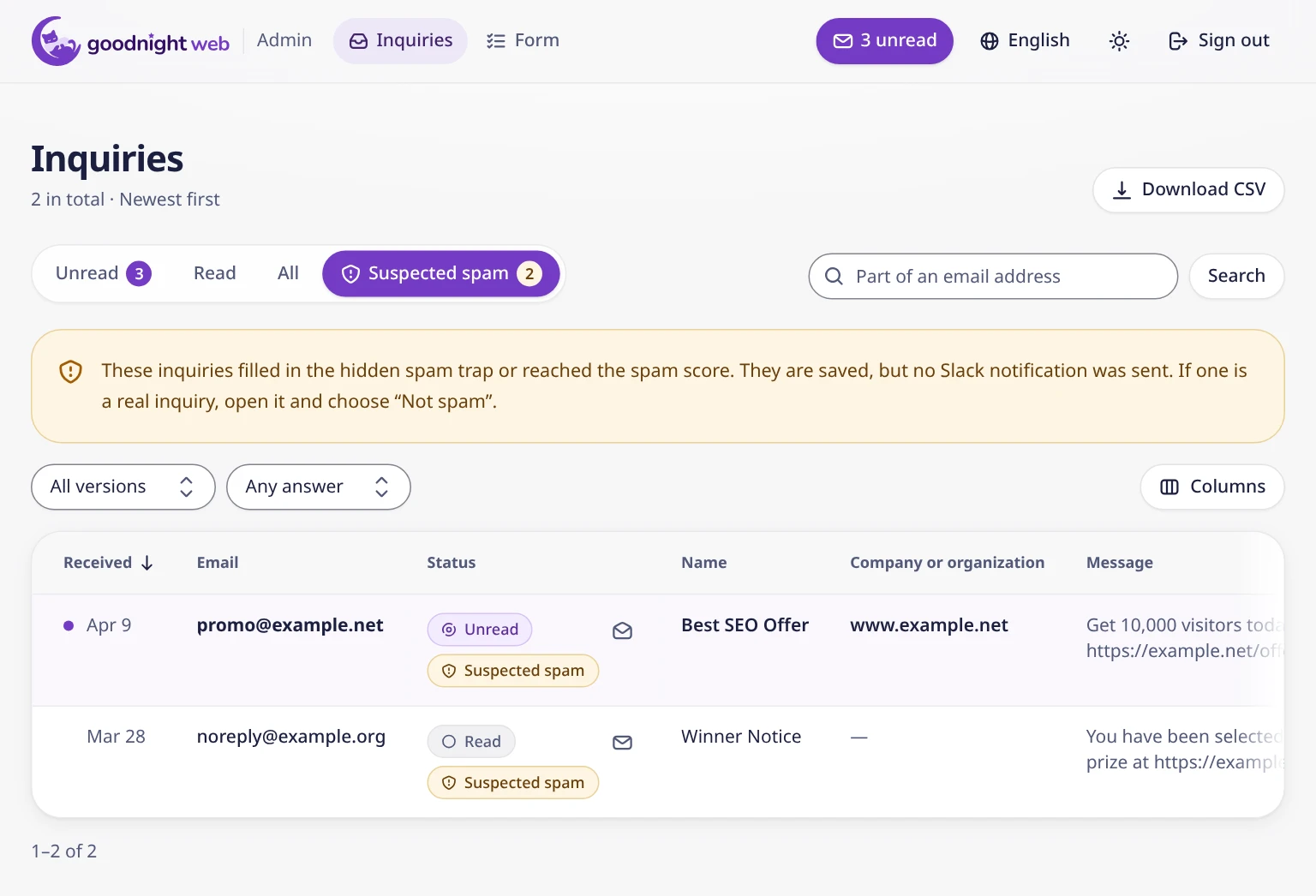
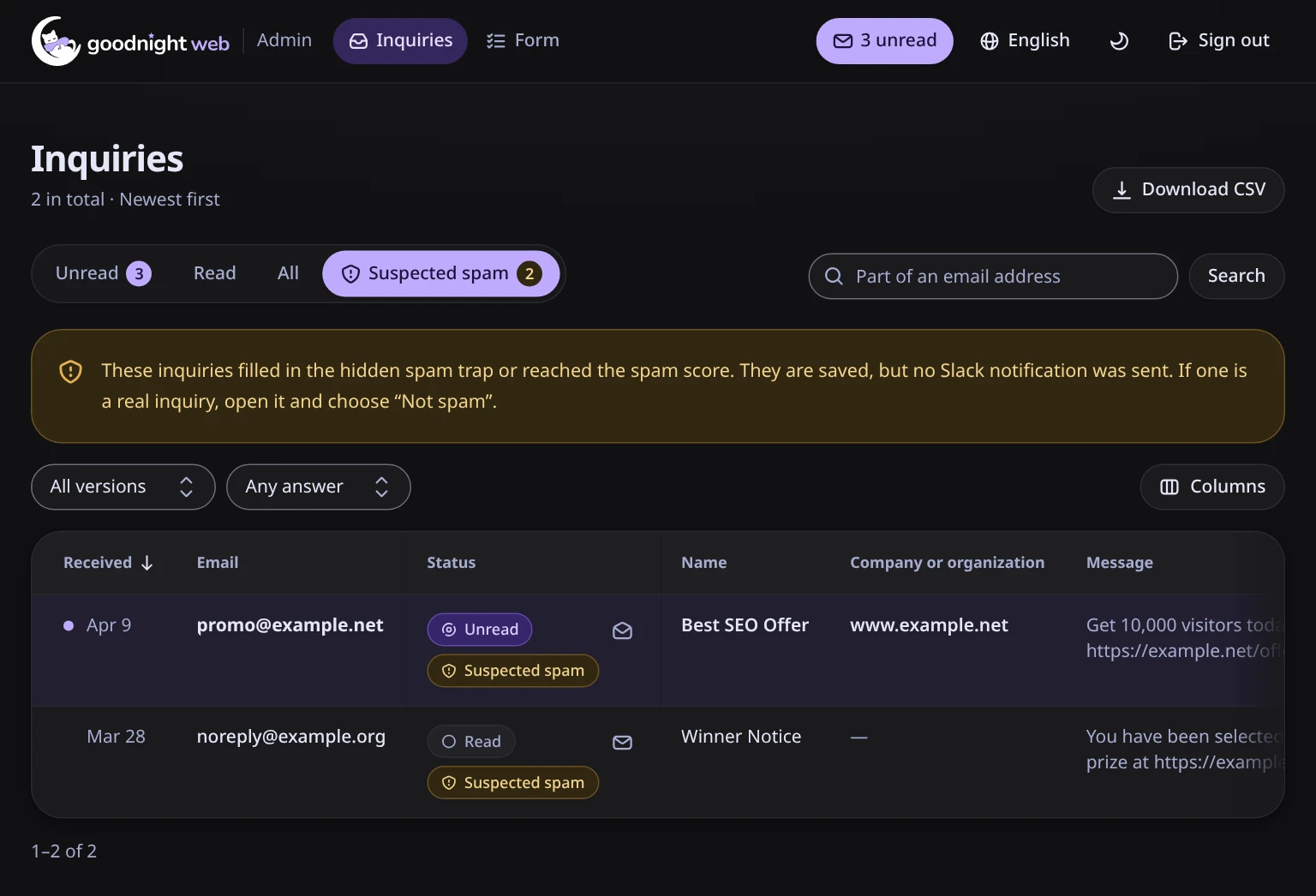
If it is a real inquiry, an admin opens it and chooses Not spam. An admin can also flag any inquiry with Mark as spam.
Honeypot
The form has a one-line text field that people cannot see. Bots that fill in every field fill in this one too.
The field is moved off screen and hidden from screen readers (aria-hidden). The Tab key skips it (tabindex="-1").
<div
  class='absolute -left-[9999px] h-px w-px overflow-hidden'
  aria-hidden='true'
>
  <label for='contact-gnw-hp-x'>{text.honeypot}</label>
  <input
    id='contact-gnw-hp-x'
    name='gnw_hp_x'
    data-contact-honeypot
    type='text'
    tabindex='-1'
    autocomplete='off'
    data-1p-ignore
    data-lpignore='true'
    data-bwignore
    data-form-type='other'
  />
</div>- The name is
gnw_hp_x. It means nothing to browsers and password managers. A name such aswebsiteorurlinvites autofill, and an autofilled honeypot would flag a real person's inquiry. - Autofill is turned off.
autocomplete="off"and thedata-*attributes ask the common password managers (1Password, LastPass, Bitwarden, and others) to leave the field alone. - The response does not change. A submission with a filled honeypot still needs a valid Turnstile token, counts against the rate limit, and must pass validation, like any other. If it passes, it is saved with the reason
honeypot. If not, the client gets the same error as the same request with an empty honeypot, and nothing is saved. A bot cannot tell from the response that it hit the trap. - The value is not stored. What was typed into the honeypot field is never saved. Any value is accepted, however long (within the request size limit above), so a long value does not change the response either.
The server only notes whether the field is filled and carries on:
// 2. Honeypot: note it and carry on. A filled honeypot changes nothing
//    in the response; the submission still needs Turnstile, counts
//    against the rate limit, and must validate before it is stored as
//    suspected spam (docs/decisions/0009).
const honeypotValue = input[CONTACT_HONEYPOT_FIELD];
const honeypot =
  typeof honeypotValue === 'string'
    ? honeypotValue.trim() !== ''
    : honeypotValue !== undefined && honeypotValue !== null;
Turnstile
Cloudflare Turnstile runs in the page and gives the form a token. The Worker sends the token to Turnstile's siteverify API and checks three things:
successhostname: the site's own hostaction:contact
Without this server-side check, a bot could skip the widget. Because hostname and action are checked too, a token made for another site or another form cannot be reused here.
const turnstile = await verifyTurnstile({
  secret: turnstileSecret,
  token,
  remoteIp: ip,
  hostnames: options.contact.turnstileHostnames ?? [
    new URL(c.req.url).hostname,
  ],
  action: CONTACT_TURNSTILE_ACTION,
});
if (!turnstile.ok) {
  console.warn(`contact: turnstile rejected (${turnstile.reason})`);
  return apiError(c, 400, 'turnstile_failed');
}
By default, the only accepted hostname is the hostname of the incoming request. If you serve the form on more than one hostname, list them in the contact.turnstileHostnames option of createGoodnightWorker().
verifyTurnstile() treats a network error, a non-200 response, or an unexpected body as a failure. Then it checks the three fields:
const result = body as Record<string, unknown>;
if (result.success !== true) return { ok: false, reason: 'not_success' };
if (
  typeof result.hostname !== 'string' ||
  !expected.hostnames.includes(result.hostname)
) {
  return { ok: false, reason: 'hostname_mismatch' };
}
if (result.action !== expected.action) {
  return { ok: false, reason: 'action_mismatch' };
}
return { ok: true };
Without Turnstile, the form is off. If TURNSTILE_SECRET or TURNSTILE_SITE_KEY is missing, the contact API returns 503 and the form says "The contact form is not available yet".
The same happens when the key for IP hashes (APP_SECRET) or the Rate Limiting binding is missing, because the rate limit cannot run if either one is missing. If Turnstile is set up, the admin screen's notice names the missing settings. See Set up Turnstile.
Rule-based spam score
After validation, scoreSubmission() in spam-score.ts adds points with a few fixed rules. The rules look at field types, not field names, so they keep working when you change the form.
| Rule (stored reason) | Points | Applies to |
|---|---|---|
links:N | 1 per link (http://, https://, www.), at most 3 | All textarea fields together |
link_in_field | 3 | A link in any one-line text field, such as a name or company |
too_fast | 3 | Sent less than 3 seconds after the form was shown |
const links = textOf('textarea').join('\n').match(LINKS)?.length ?? 0;
if (links > 0) {
  score += Math.min(links, 3);
  reasons.push(`links:${links}`);
}
if (textOf('text').some((value) => HAS_LINK.test(value))) {
  score += 3;
  reasons.push('link_in_field');
}
if (elapsedMs !== undefined && elapsedMs < SPAM_MIN_ELAPSED_MS) {
  score += 3;
  reasons.push('too_fast');
}
return { score, reasons };
url fields are meant to hold links, so they are not counted. A score of 3 or more (SPAM_SUSPECT_THRESHOLD) flags the submission as suspected spam.
A single link in a message does not reach 3. Any one of these does:
- three or more links across the
textareafields, - a link in a one-line field such as the name,
- a form sent in under 3 seconds.
The score and the reasons (spam_reasons, plus honeypot when the trap was hit) are stored and shown in the inquiry detail:
const suspectedSpam = honeypot || spam.score >= SPAM_SUSPECT_THRESHOLD;
const spamReasons = honeypot ? ['honeypot', ...spam.reasons] : spam.reasons;
Why it is built this way
- Suspicious submissions are flagged, not dropped. A missed inquiry costs more than a little spam. A real person can trip a rule (a message with three links, a password manager that fills a hidden field), so suspected spam is saved and kept separate, and the admin decides.
- Suspected spam is listed separately. Mixed into the normal list, spam would bury real inquiries and inflate the unread count. The unread count and the Slack notification cover only inquiries that are not suspected spam. See Customizing the contact form.
- The honeypot is handled after Turnstile. Saving a honeypot hit before Turnstile would let a bot write to D1 without passing it. Because Turnstile, the rate limit, and validation come first, a bot can store no more than the rate limit allows, and every stored row is validated.
- Fields are checked against the definition stored in D1. Admins edit the form fields in the admin screen, and the definition is stored in D1. On every submission, the server builds the zod schema from that definition (see Customizing the contact form).
- Only the current field IDs are accepted, so a crafted request cannot add fields.
- Required fields, lengths, formats, and choice values are checked.
- The stored values of one inquiry are limited to 16 KB.
- The rate limit uses Cloudflare's binding. The Rate Limiting binding counts across Worker instances and works on the free plan. Better Auth's built-in in-memory limiter does not count across instances, so it is not used for this.
- No key in the page. An API key in the contact page could be read by anyone, so it would protect nothing. Protection comes from Turnstile and the rate limit.